
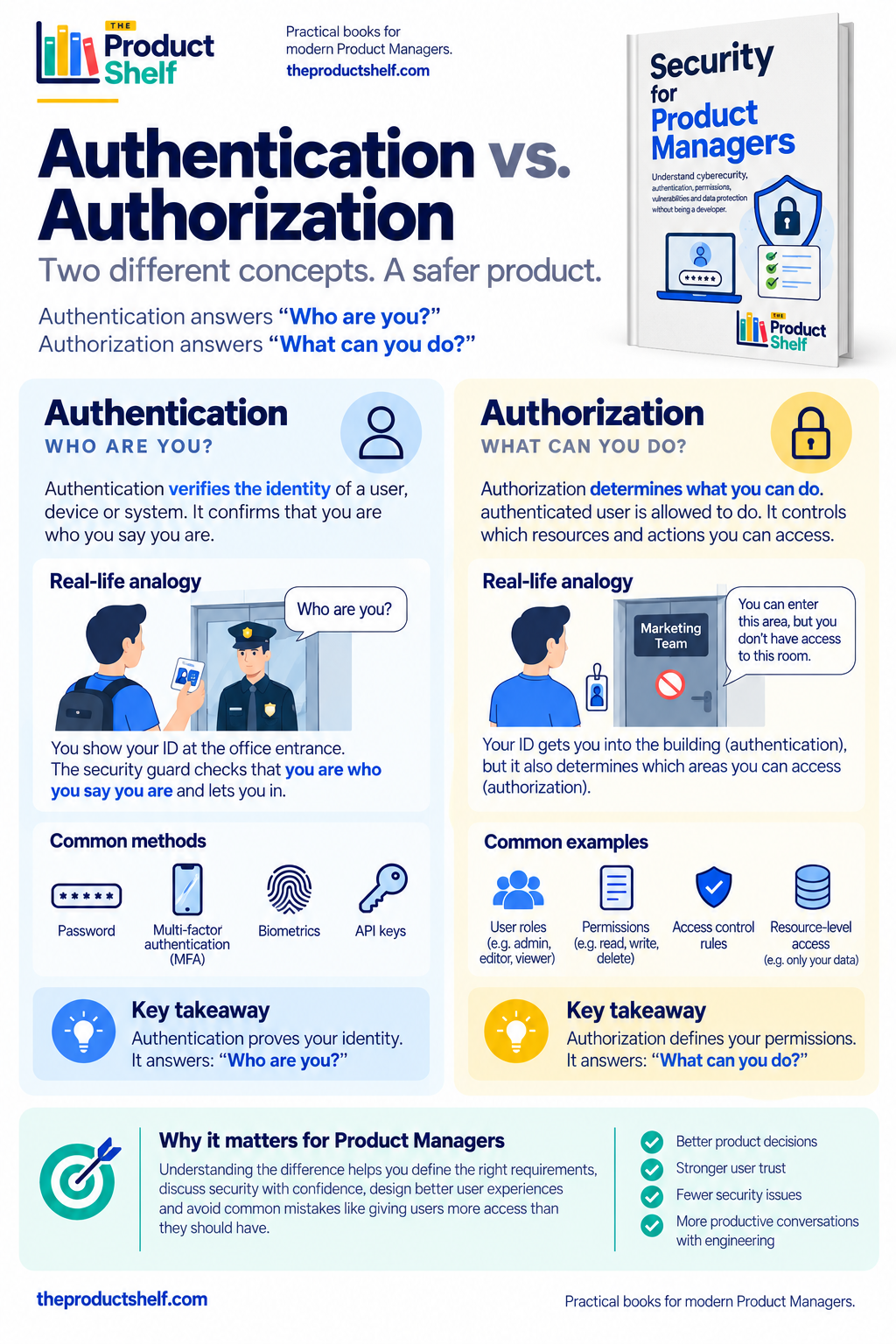
Authentication and authorization are two words that often appear together in conversations with Engineering and Security. Because they are closely related, it is easy to treat them as if they were different names for the same thing but they are not.
The simplest way to remember the difference is:
Authentication answers: “Who are you?”
Authorization answers: “What are you allowed to do?”
That distinction might sound technical, but it appears in very ordinary product decisions. Imagine we are building a SaaS product where companies can invite employees and assign different roles. Laura logs in with her email and password. The system verifies her credentials and confirms that she really is Laura.
That is authentication.
But now Laura opens the administration area and tries to deactivate another employee. Should she be allowed to do it? Knowing that she is Laura doesn’t answer that question. We also need to know her role and the permissions associated with it.
That is authorization.
This distinction is important for Product Managers because defining what different users should be able to do is often part of defining the product itself. In Security for Product Managers, authentication and authorization are deliberately treated as separate problems: first we establish who the user is, and then we decide what that user can do.
Think About an Office Building
A useful analogy is entering an office.
When you arrive, security might ask you to show your employee ID. They check it and confirm that you are who you claim to be. You can now enter the building.
That’s authentication.
But your employee ID doesn’t necessarily open every door inside the building. Perhaps you can access your team’s floor but not the server room. A member of Finance might have access to an area that someone from Marketing doesn’t. The CEO might have permissions that a visitor doesn’t have.
That’s authorization.
The important part is that authorization only becomes useful once we know who is trying to perform the action.
The same thing happens in a digital product:
User → Authentication → We know who you are → Authorization → We decide what you can do
Once you see the two concepts this way, many security conversations become much easier to follow.
Being Logged In Doesn’t Mean You Can Do Everything
Imagine a project management product with three roles: Owner, Admin and Member.
All three users can successfully log in. From an authentication perspective, everything is working correctly.
But we probably don’t want them to have exactly the same capabilities.
A Member might be able to create tasks and comment on projects. An Admin might also invite and deactivate users. The Owner might be the only person allowed to delete the entire account.
Those are authorization decisions.
This is where security becomes closely connected to Product Management. Someone has to define those rules. Engineering will implement the access controls, but Product often needs to help answer questions such as whether an Admin can deactivate another Admin, whether users can change their own role, who can export company data, or what happens when someone loses a permission while they are already using the product.
These aren’t questions about how to write secure code. They are questions about how the product should behave.
Authorization Goes Beyond Roles
Roles are a convenient way to think about permissions, but they are not the whole story.
Imagine Laura is a normal user and is allowed to view invoices. That sounds straightforward until we ask:
Which invoices?
Surely she shouldn’t be able to change the URL or manipulate a request and suddenly access invoices belonging to another company.
So authorization isn’t only:
Can this type of user perform this action?
Sometimes it also needs to answer:
Can this user perform this action on this particular resource?
This distinction becomes especially important in B2B and multi-tenant products, where many companies use the same application but their information must remain separated.
A user may have permission to view customer data, for example, while still being restricted to customers belonging to their own organization.
Why This Matters When Designing Features
Suppose we’re adding an “Export users” button to an admin panel.
From a UI perspective, it looks like a very small feature. But it immediately creates authorization questions.
Who should see the button? Who should be able to use it? Can every Admin export every user? What happens if the export contains sensitive information? Should an Admin from Company A ever be able to export users from Company B?
These questions are much easier to spot once we stop thinking about security as something that Security checks after the feature has been designed.
Permissions are part of the feature.
The same applies to deleting projects, changing billing information, issuing refunds, viewing reports, managing API keys or inviting new administrators. Whenever different users should be able to do different things, we are designing authorization.
A Useful Question for Product Managers
When reviewing a feature that involves accounts, roles or sensitive actions, I find it useful to separate the conversation into two questions.
First:
How do we know who the user is?
That leads us towards authentication: passwords, sessions, MFA, SSO and other mechanisms for establishing identity.
Then:
Now that we know who they are, what should they be allowed to do?
That leads us towards authorization: roles, permissions and access rules.
Keeping those questions separate prevents a surprisingly common mistake: assuming that because a user has successfully logged in, they should automatically be allowed to perform the action they are requesting.
They shouldn’t.
Authentication establishes identity. Authorization uses that identity, together with the rules of our product, to determine access.
For a Product Manager, understanding the difference doesn’t mean learning how to implement authentication systems or access-control checks. It means being able to participate in the conversation when Engineering asks:
“Who should actually be allowed to do this?”
Because very often, that’s not only a security question.
It’s a product decision.
Leave a Reply